

Sécurisez l'accès à votre infrastructure avec une rotation régulière des identifiants.
La protection de votre centre de commande MultiLipi est essentielle. Que vous respectiez les politiques de conformité de l'entreprise ou que vous mettiez simplement à jour votre sécurité, vous pouvez faire pivoter vos informations d'identification d'accès directement depuis le tableau de bord sans intervention du support.
Ce guide détaille le protocole de mise à jour de votre mot de passe de compte principal.
1. Accès aux contrôles de sécurité
Pour initier une mise à jour des informations d'identification :
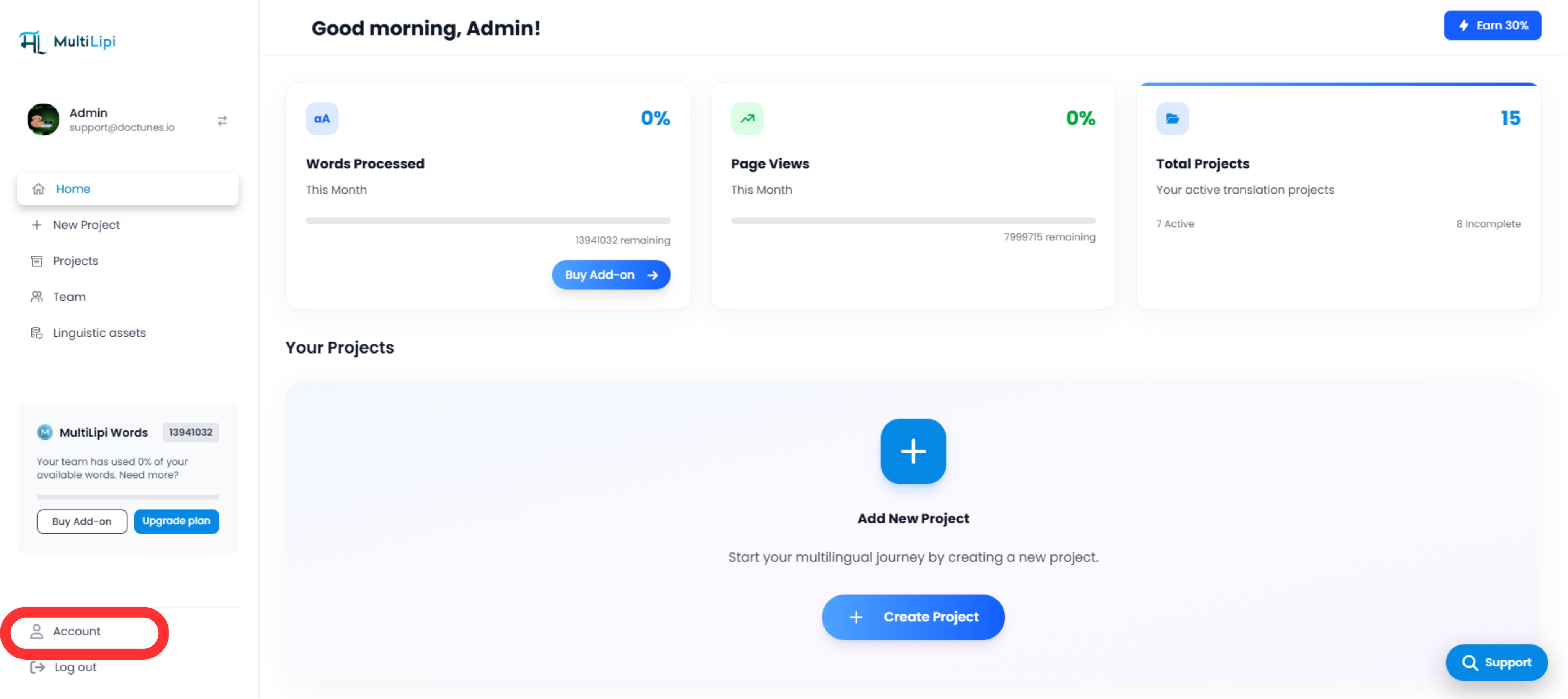
2. Exécution de la mise à jour
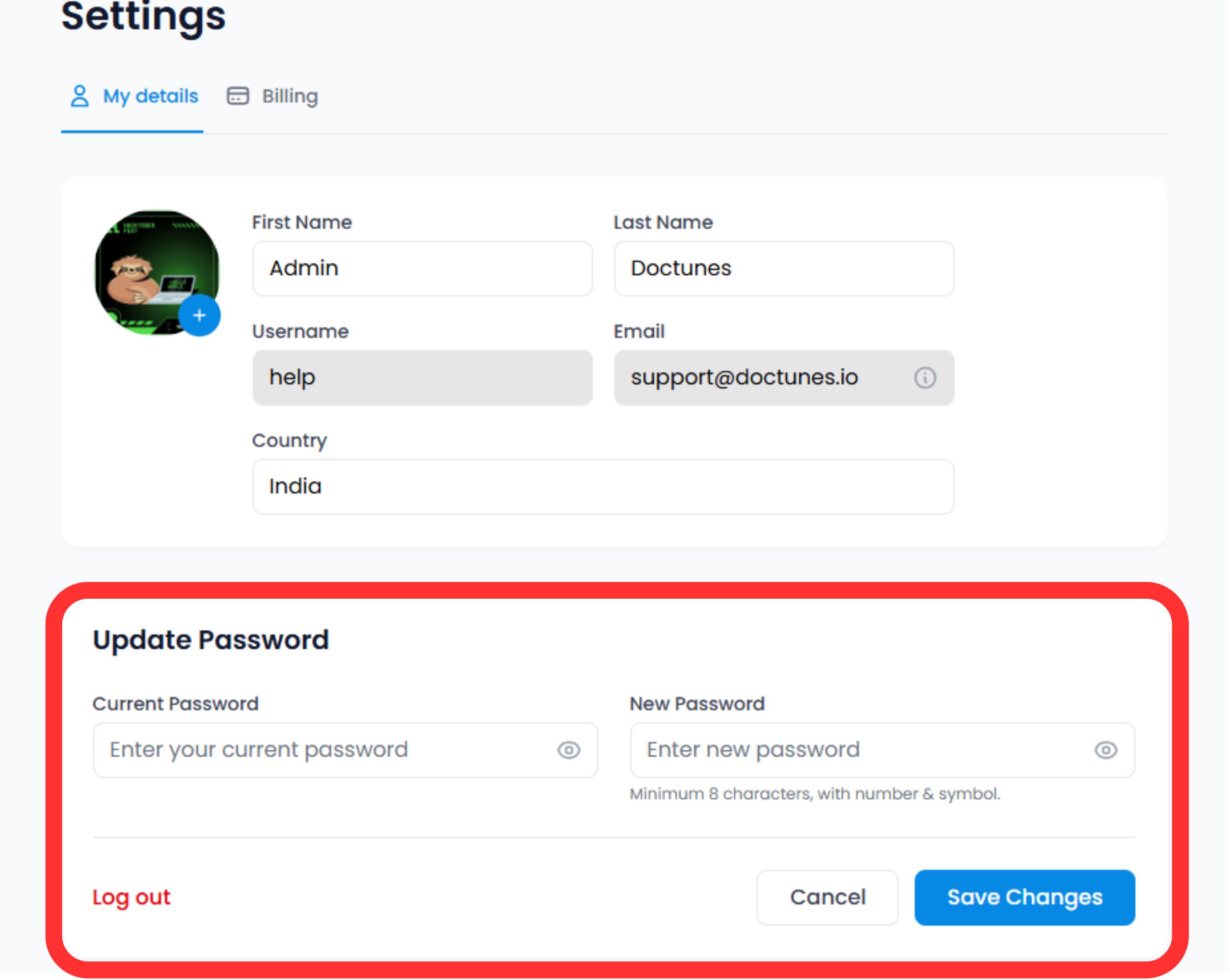
Faites défiler jusqu'à la Section Sécurité en bas du formulaire de profil.
Vérifier l'identité
Entrez votre Mot de passe actuel pour autoriser le changement.
⚠️ Note de sécurité : Vous ne pouvez pas changer votre mot de passe sans prouver votre niveau d'accès actuel.
Définir de nouvelles informations d'identification
Entrez votre Nouveau mot de passe.
Valider
Cliquer Enregistrer les modifications.
Action du système
La mise à jour est immédiate. Vous pourriez être amené à vous réauthentifier sur d'autres appareils où votre session est active.
3. Normes d'identification (Meilleures pratiques)
Pour une sécurité maximale, nous vous recommandons de respecter les règles de complexité suivantes :
Longueur
Minimum 12 caractères.
Complexité
Mélange alphanumérique (A-Z, 0-9) et symboles spéciaux (!@#$).
Unicité
Ne réutilisez pas les mots de passe d'autres services.
4. Protocole de récupération
Bloqué ?
Si vous ne vous souvenez pas de votre mot de passe actuel pour effectuer les étapes de mise à jour ci-dessus, n'utilisez pas ce formulaire.
Action :
Se déconnecter et utiliser le "Mot de passe oublié" lien sur l'écran de connexion. Cela déclenche un flux de récupération par e-mail pour vérifier votre identité en externe.
🔒 Meilleure pratique de sécurité
Nous vous recommandons de changer votre mot de passe tous les 90 jours et d'activer l'authentification à deux facteurs (2FA) pour une couche de sécurité supplémentaire. Des mises à jour régulières des informations d'identification aident à protéger votre infrastructure MultiLipi contre tout accès non autorisé.
En savoir plus sur la configuration de la 2FA