

La localisation d'entreprise nécessite souvent des flux de travail hors ligne. Que vous ayez besoin d'envoyer 5 000 chaînes à une équipe juridique pour révision ou de migrer une mémoire de traduction existante d'un autre système, MultiLipi offre un accès complet en lecture/écriture à vos données linguistiques.
Ce guide couvre les protocoles pour Intégration de données externes (Importation) et Extraction de la mémoire de traduction (Exportation).
Ingestion de données (Le protocole d'importation)
Idéal pour : Mises à jour en masse, migration depuis d'autres plateformes ou restauration de sauvegardes.
Vous pouvez écraser ou mettre à jour votre index de traduction en direct en téléchargeant un fichier structuré.
Étape 1 : Accéder à la couche linguistique
- Accédez à votre tableau de bord MultiLipi.
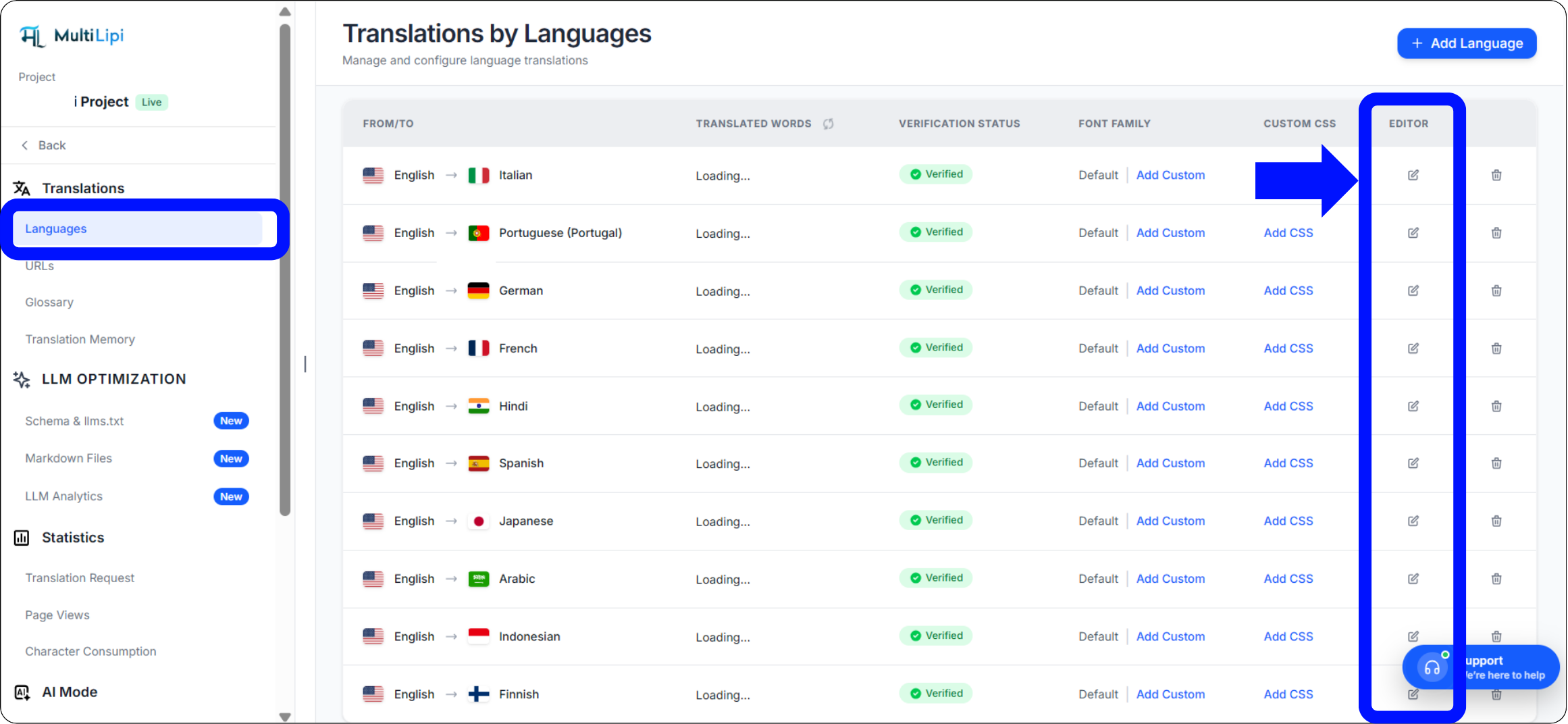
- Sélectionnez Traductions > Langues depuis la barre latérale.
- Localisez la paire de langues spécifique que vous souhaitez mettre à jour (par ex., Anglais → Hindi).
- Cliquez sur le Icône d'édition (crayon) pour ouvrir la mémoire de traduction pour cette locale.
Étape 2 : Lancer l'intégration
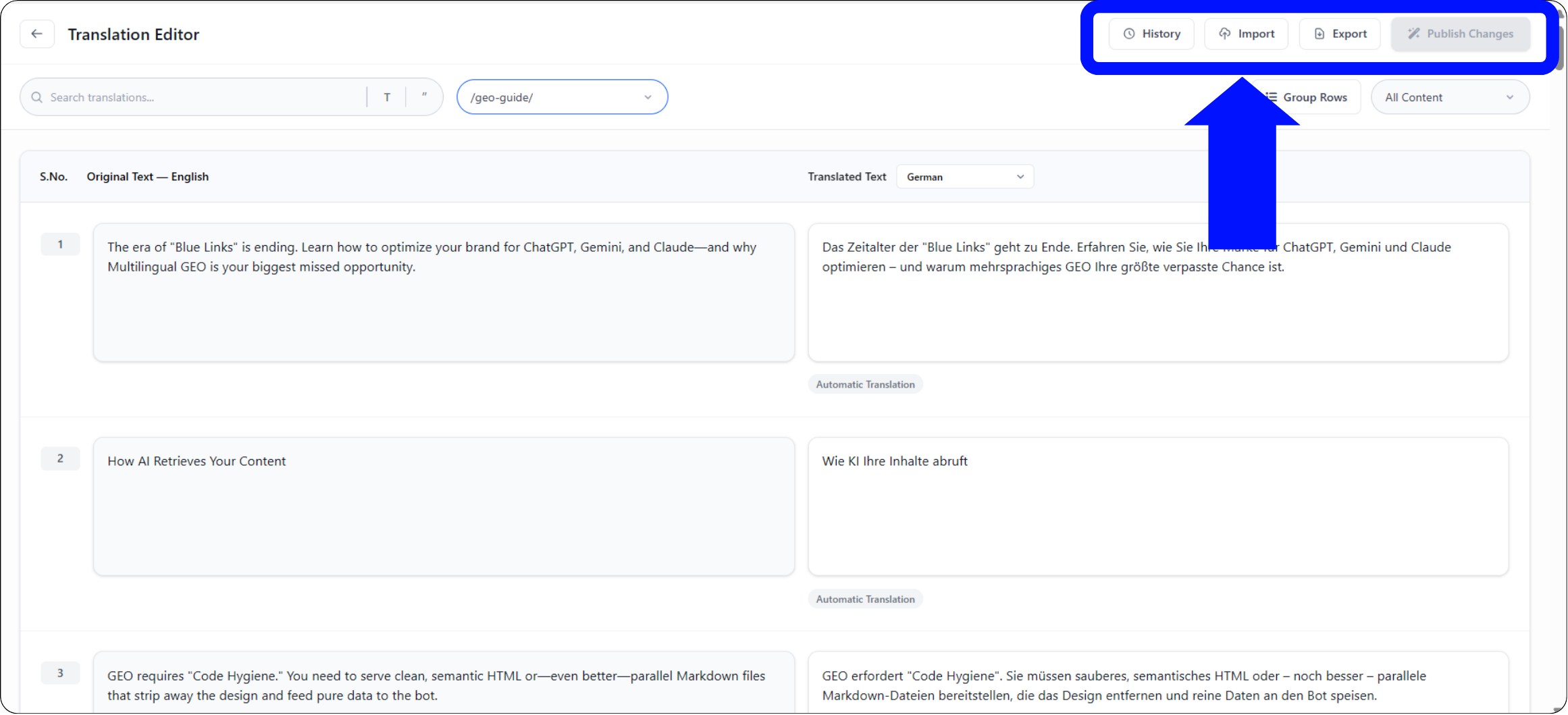
Dans la barre d'outils supérieure de l'éditeur, cliquez sur le Icône d'importation.
Étape 3 : Télécharger et configurer
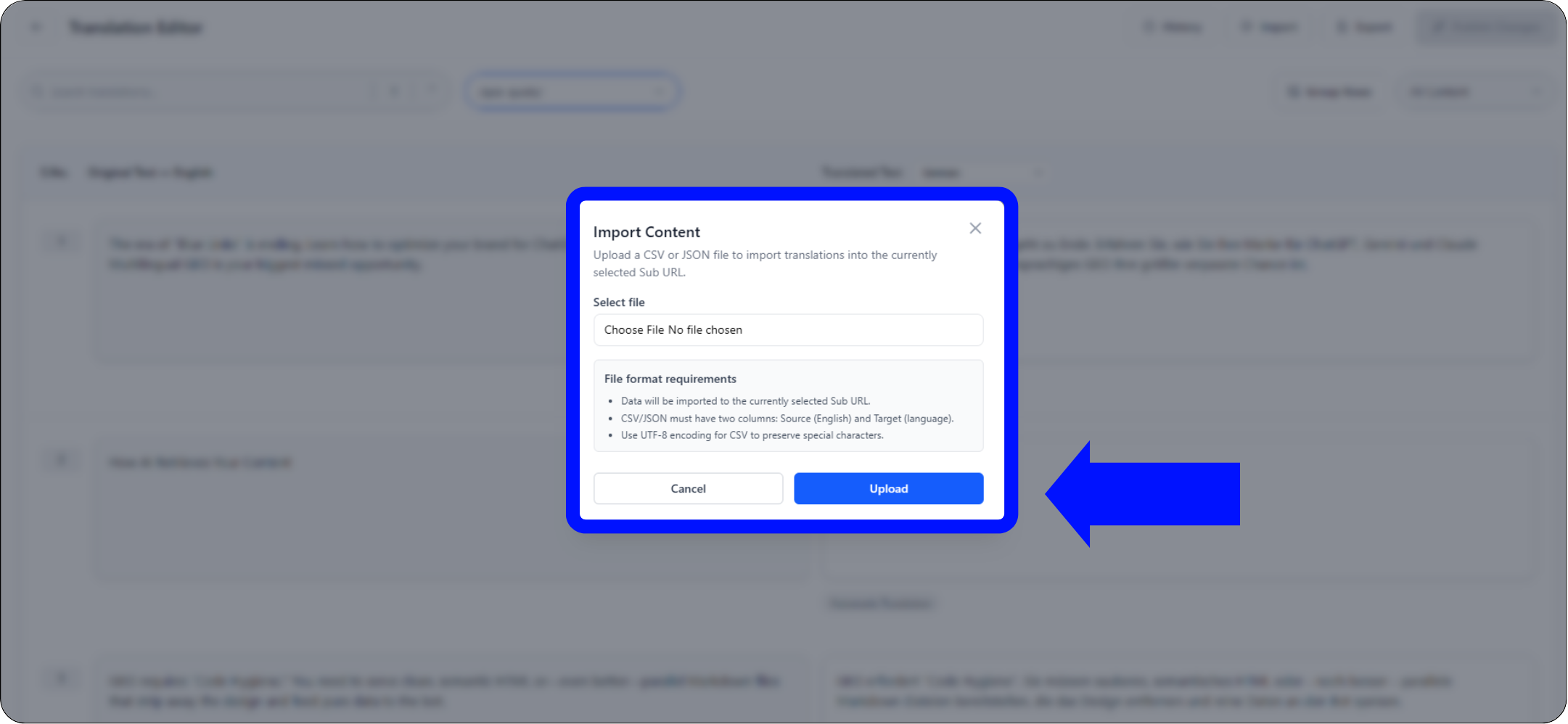
Une fenêtre modale de configuration apparaîtra :
Sélection de fichiers
Téléchargez votre .csv ou .json fichier.
Définition de la portée
- •Global : Appliquer ces traductions à l'ensemble du domaine.
- •Ciblé : Utilisez le menu déroulant "Sous-URL" pour appliquer ces traductions à une page spécifique uniquement (par exemple,
/tarifs).
Exécuter
Cliquer Télécharger.
Action du système
Le système analyse le fichier et met instantanément à jour la mémoire de traduction. Les modifications en direct se propagent immédiatement sur le réseau de périphérie.
Extraction des données (Le protocole d'exportation)
Idéal pour : Audits hors ligne, révision humaine professionnelle et sauvegardes de conformité.
Vous êtes propriétaire de vos données. Vous pouvez télécharger l'intégralité de votre mémoire de traduction à tout moment.
1. Accéder à l'éditeur
Accédez au même éditeur de langue utilisé ci-dessus.
2. Exécuter l'extraction
Cliquez sur le Icône d'exportation (à côté d'Importer).
3. Sélection du format
Choisir
.csv(pour tableurs/Excel) ou.json(pour les développeurs).4. Résultat
Le système génère un fichier structuré contenant chaque chaîne source et sa traduction actuelle.
Cas d'utilisation stratégiques
| Opération | Scénario |
|---|---|
| Audit hors ligne | Exportez votre page "Conditions juridiques" au format CSV et envoyez-la à votre service juridique pour révision dans Excel. Importez ensuite le fichier approuvé. |
| Examen professionnel | Exportez le contenu traduit automatiquement, envoyez-le à un traducteur humain certifié et intégrez ses corrections en masse. |
| Stratégie de sauvegarde | Effectuez des exportations hebdomadaires pour conserver une sauvegarde locale en « stockage froid » de vos actifs de traduction. |